Agents stop improvising
Each task carries a description, acceptance criteria, and an implementation plan. The agent states what it will do before it writes a line of code, and you read it before it runs.
Backlog.md stores tasks, acceptance criteria, implementation plans, and execution notes as Markdown files in your repository. No database, no black box. Agents break down and execute the work, you approve at three checkpoints.
$
									npm i -g @kuwork/backlog.md
No account needed Works offline macOS, Linux, Windows
Every
agent
run
leaves
something
you
can
review.
Tasks
are
readable
Markdown,
progress
is
a
reviewable
Git
diff,
knowledge
compounds
into
a
searchable
Wiki.
Hand a requirement to an agent and it will produce a function that runs. But it does not know what comes next, does not know where the boundary is, and will not tell you which calls it made on your behalf. Once the context grows, the direction drifts, and you spend an afternoon reading what it changed.
Every task is a Markdown file with a description, acceptance criteria, and an implementation plan. The agent writes down what it will do before it writes code, and waits for your approval. Tasks move into version control with the code, so they can be diffed, reviewed, searched, and archived.
Four concrete outcomes: direction holds, review has handles, data stays local, knowledge accumulates.
Each task carries a description, acceptance criteria, and an implementation plan. The agent states what it will do before it writes a line of code, and you read it before it runs.
Spec, plan, and result are approved separately. A wrong direction stops before the first line of code, not after a thousand line diff.
Everything is stored in local Markdown files inside the project. No cloud account, no subscription, works offline, and Git is optional.
The LLM wiki turns tasks, docs, and decisions into a queryable project memory. Switch session or switch people, and the context does not have to be rebuilt from zero.
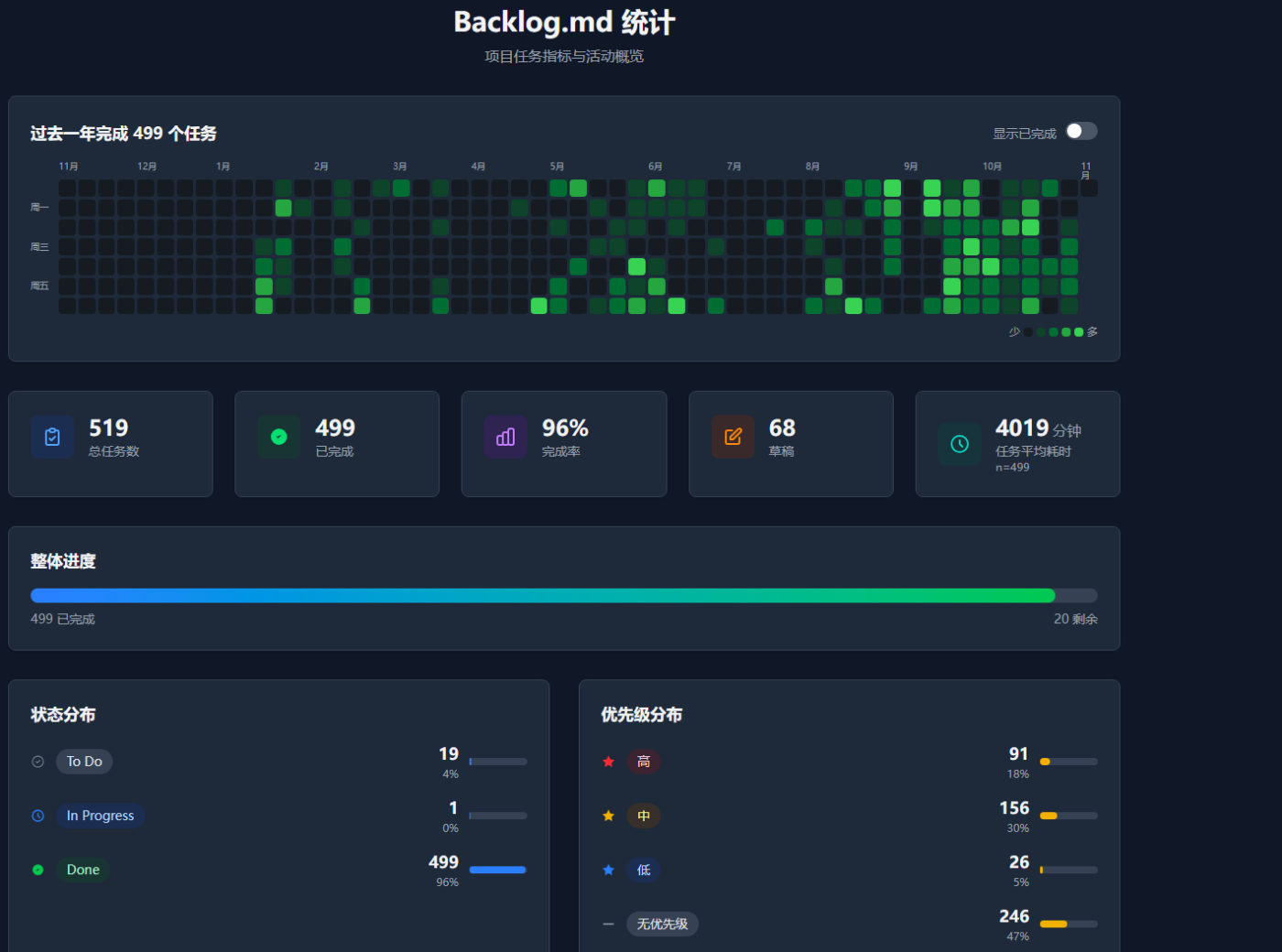
Every step of this project, from idea to release, is recorded in its own backlog directory. The numbers
below come from the current state of the repository, not from sample data: task files count the
tasks, completed and archive/tasks directories, and wiki pages
count everything under wiki except the mirrored source material in sources.
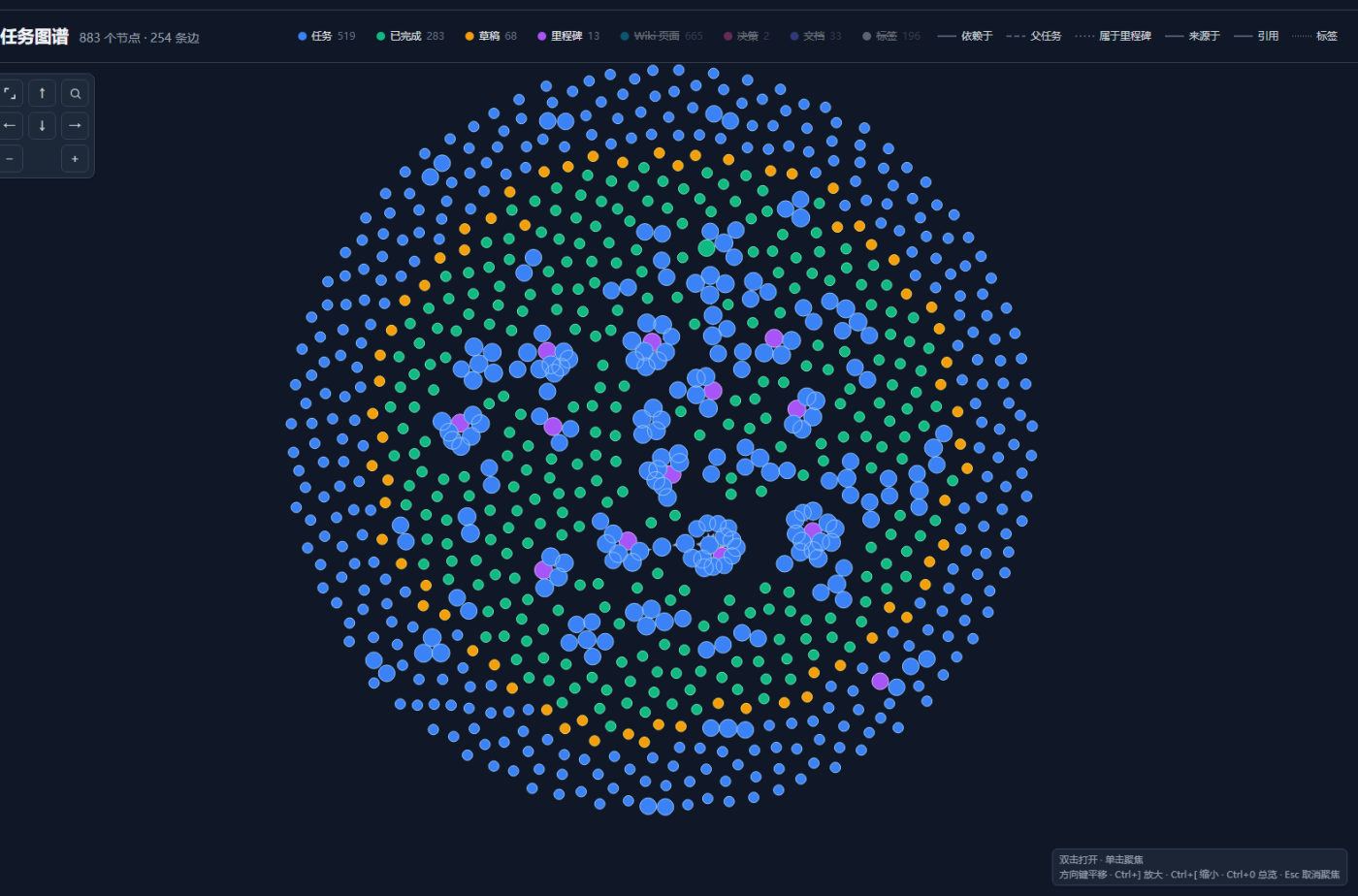
The statistics page spreads a year of delivery into a heatmap and distribution charts. Open any task and its dependencies, subtasks and milestone unfold into a relationship graph on the spot. Both read the same Markdown files — no separate reporting system.
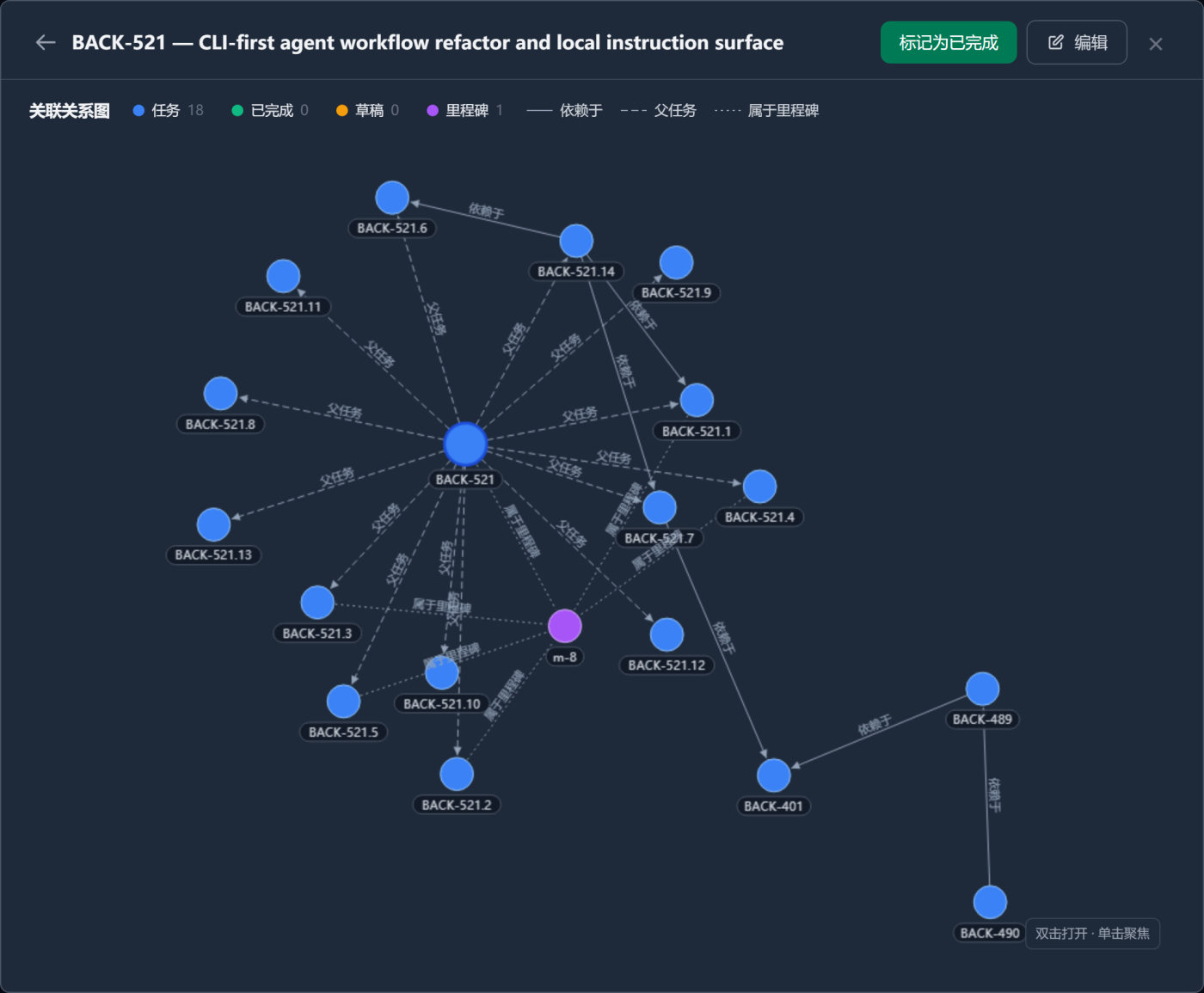
Every step leaves a file in the repository, so pausing, changing your mind, or handing the work to another agent never loses state.
Run one command inside any Git repository and pick CLI instructions or MCP for your agent. You can also skip AI and use it as a plain task manager.
Describe the idea. The agent creates tasks with acceptance criteria, researches the codebase, writes the implementation plan, then stops for your approval.
Read the diff, run the tests, check the acceptance criteria. Once it passes, write the summary and the knowledge lands in the Wiki as input for the next step.
The board, the Gantt chart and the task table read and write the Markdown files directly; graph queries run against the graph derived from those files; a SQL block queries a DuckDB database registered inside the project. They all read and write the repository directly — nothing is exported elsewhere.
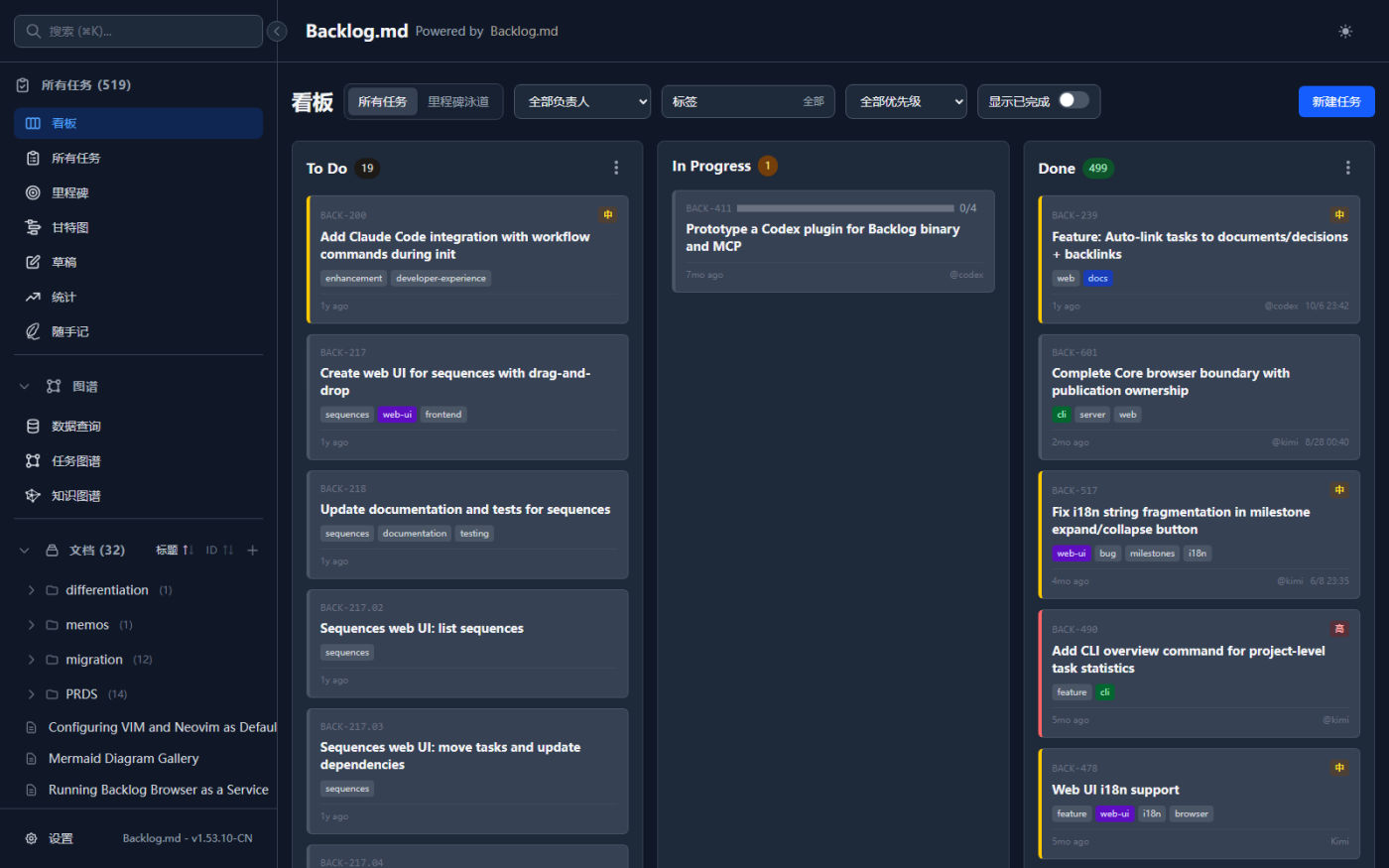
backlog browser groups task cards by status. Drag a card to move it, and the change is written straight back to the Markdown file.
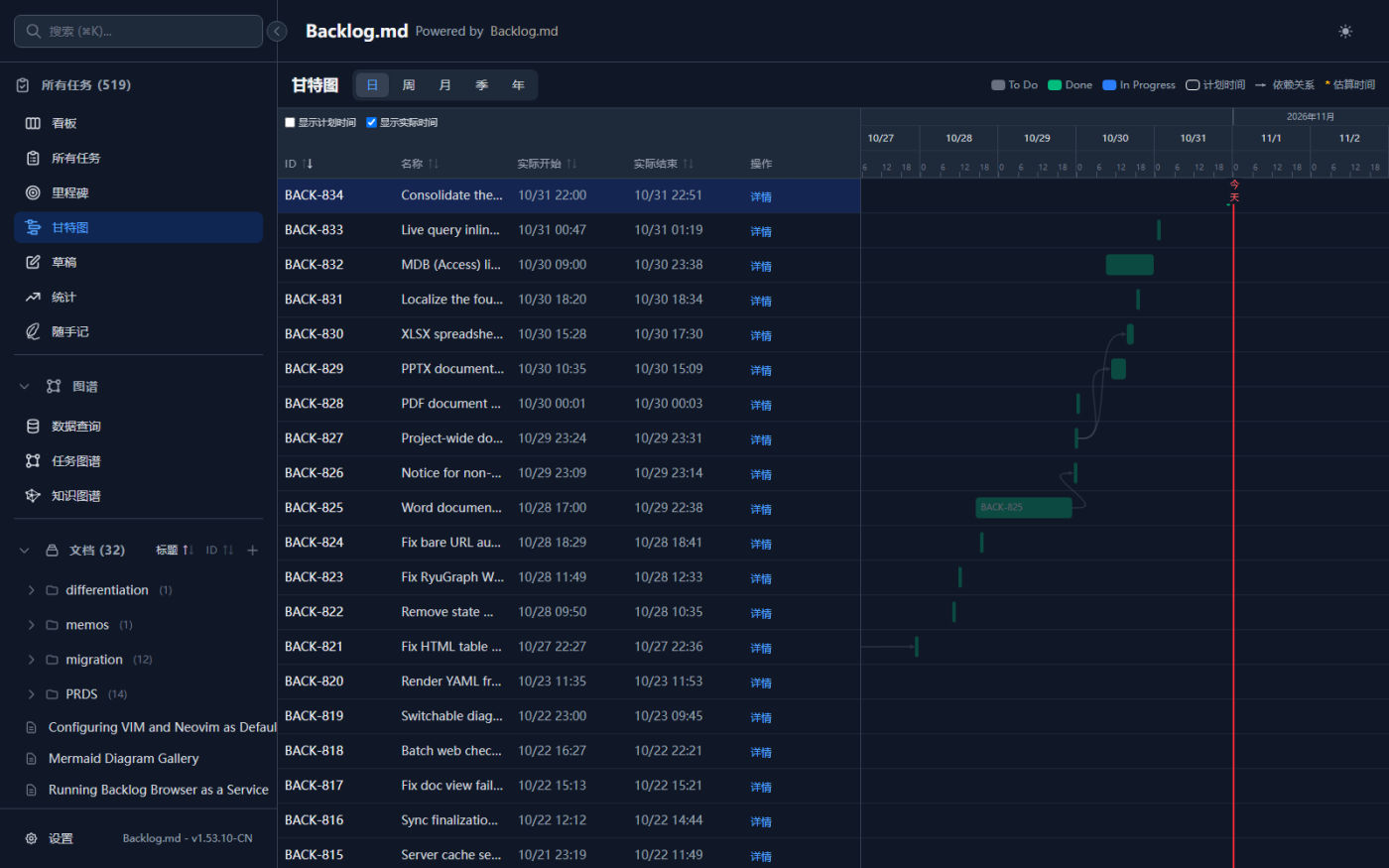
Planned dates draw the outline, actual dates fill the bar, across five time grains, so slippage shows up immediately.
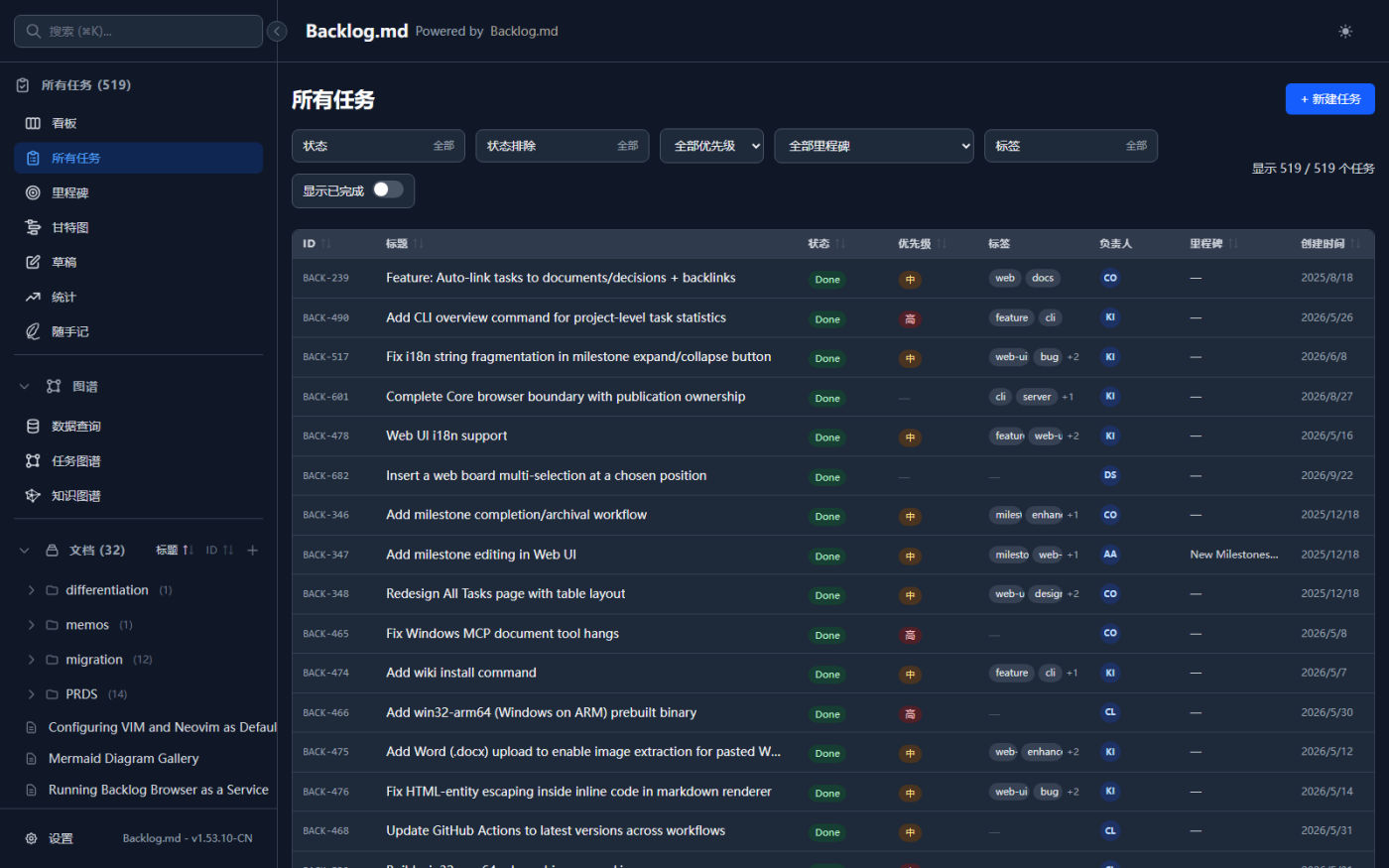
Switch between table, board, and tree views, filter by status, label, assignee, or milestone, and run fuzzy search across tasks, docs, and decisions.
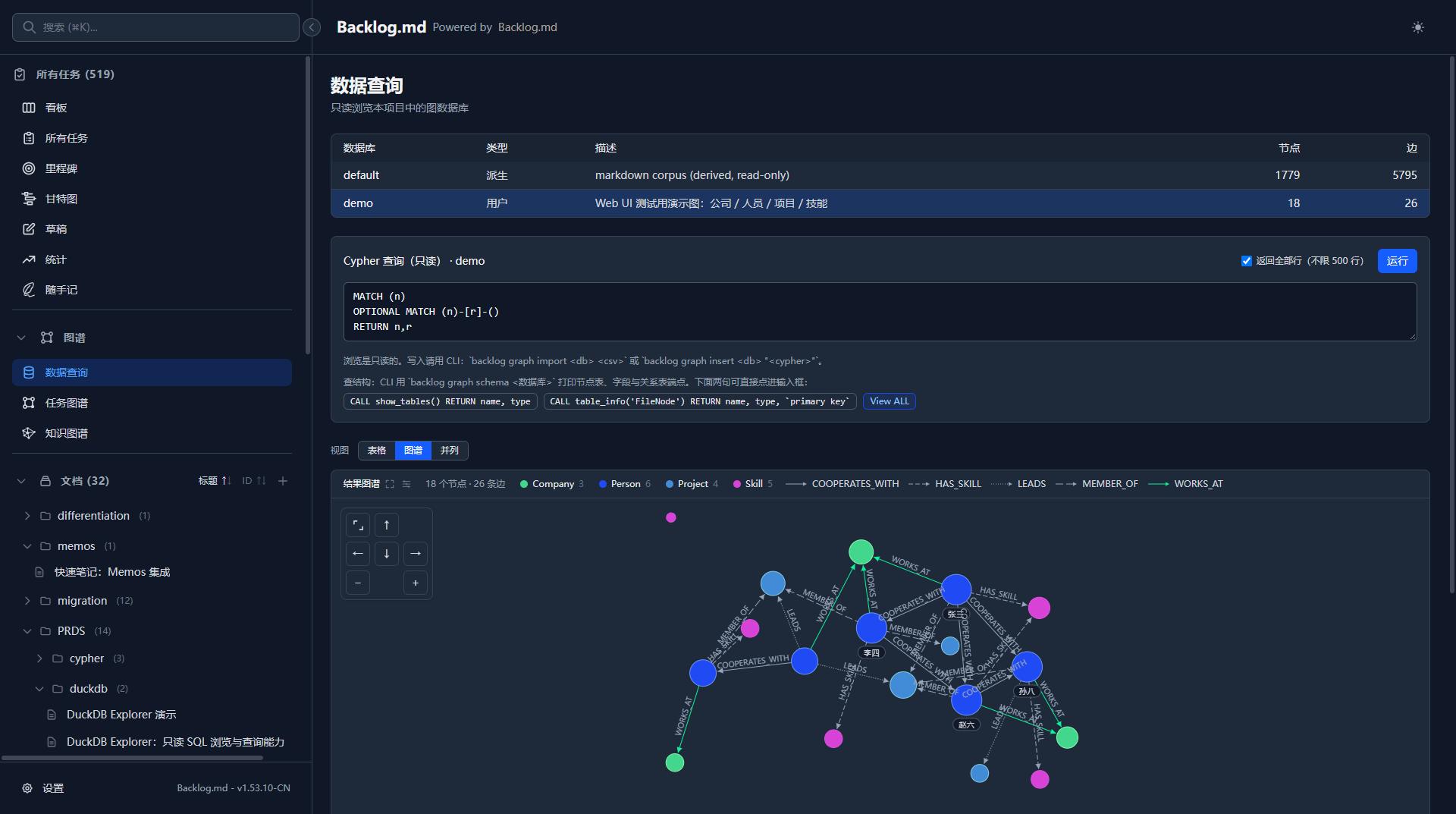
Run read only Cypher against the project knowledge graph once a data source is configured, with results shown as a table or a graph.
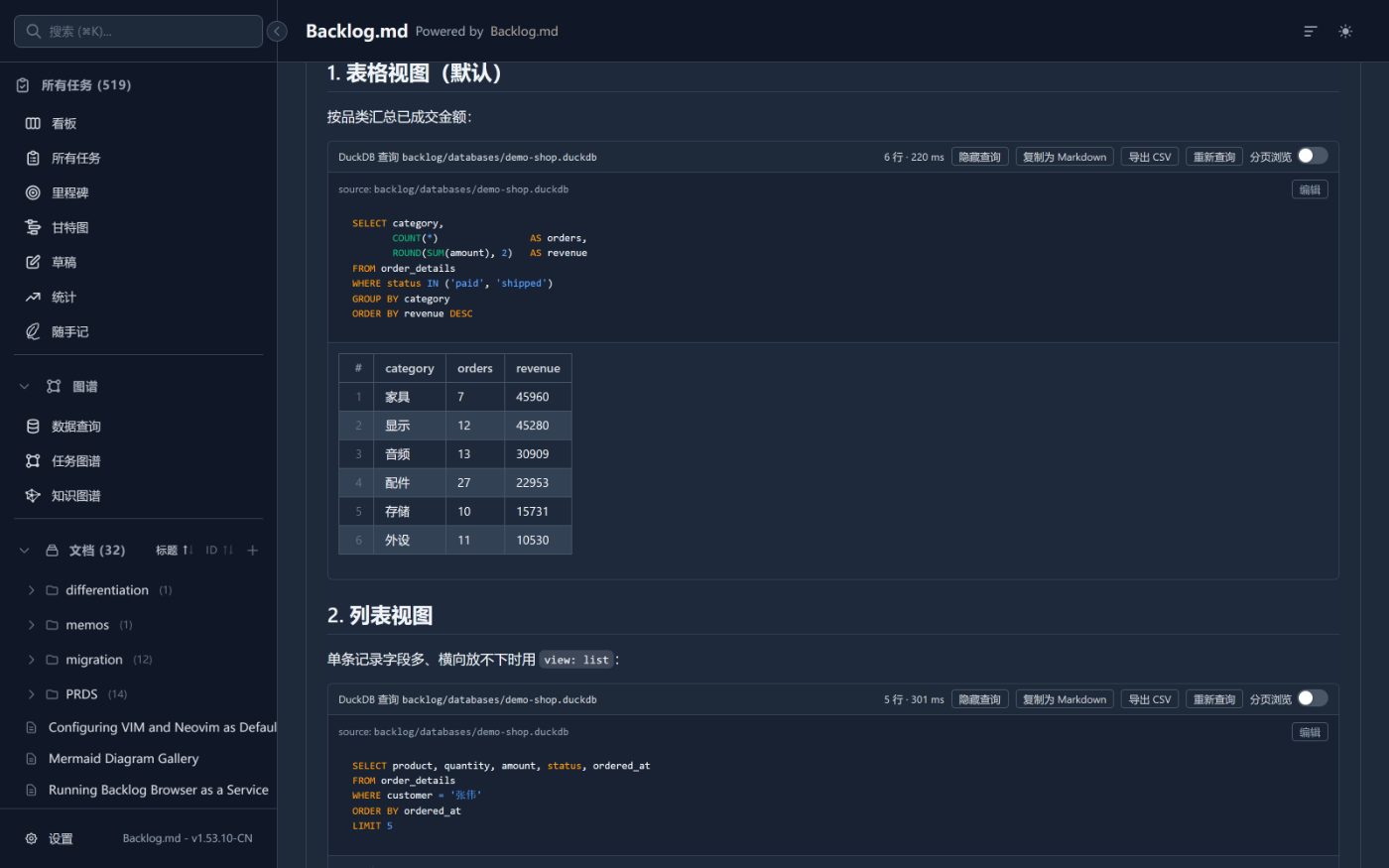
Write a SELECT inside a Markdown body and the reading view executes it live, rendering a result table you can copy as Markdown, export as CSV or page through.
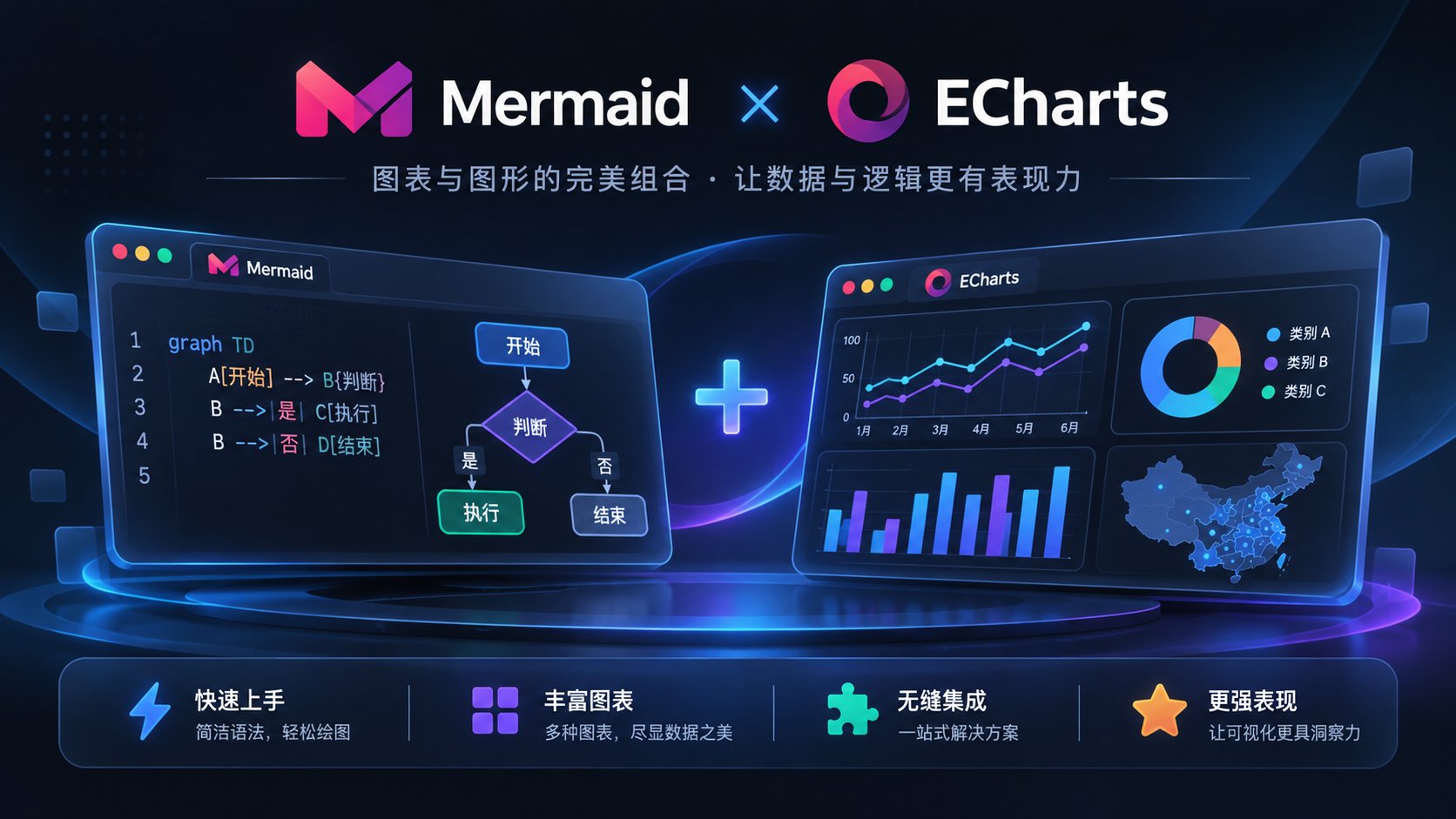
The data query (05) output can be charted directly: feed its results into a Mermaid or ECharts block and the reading view renders it in place — flowcharts, sequence diagrams, or interactive charts — from the same data your docs, board, and Wiki already use.

Preview Word, Excel, PPT, and PDF files inside the repository without exporting — layout, tables, and slides render in place, no download, no third party tab.
The tool does not dictate how a task moves. Which statuses connect and which ones close the loop is drawn by you, in settings — for engineering work, and just as well for news analysis, paper writing or any non-coding process.
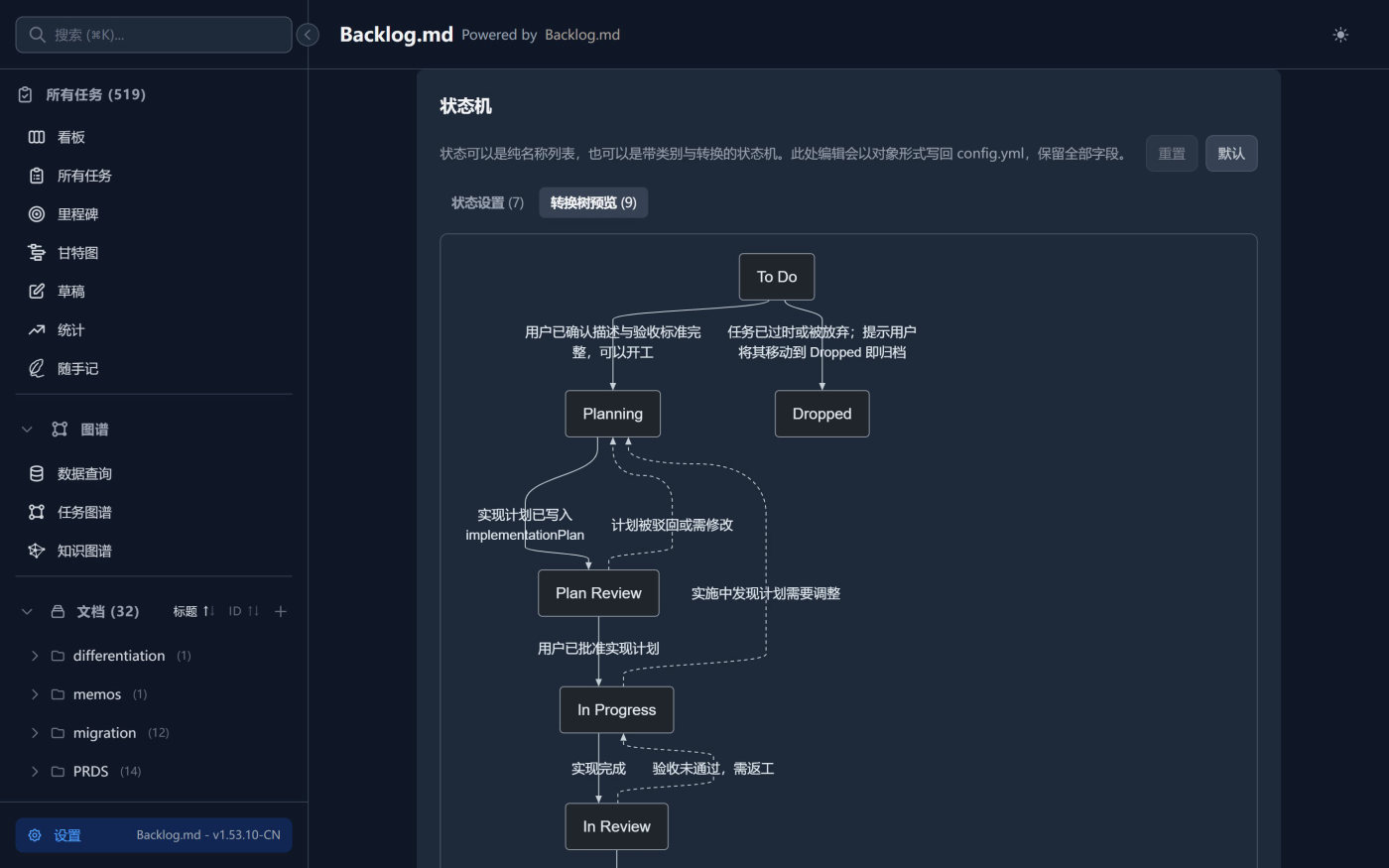
onStatusChange runs a shell command on transition, for checks, notifications or sync
Write it down without breaking focus. Notes live in the repository next to tasks and docs, searchable, backlinked and archivable.
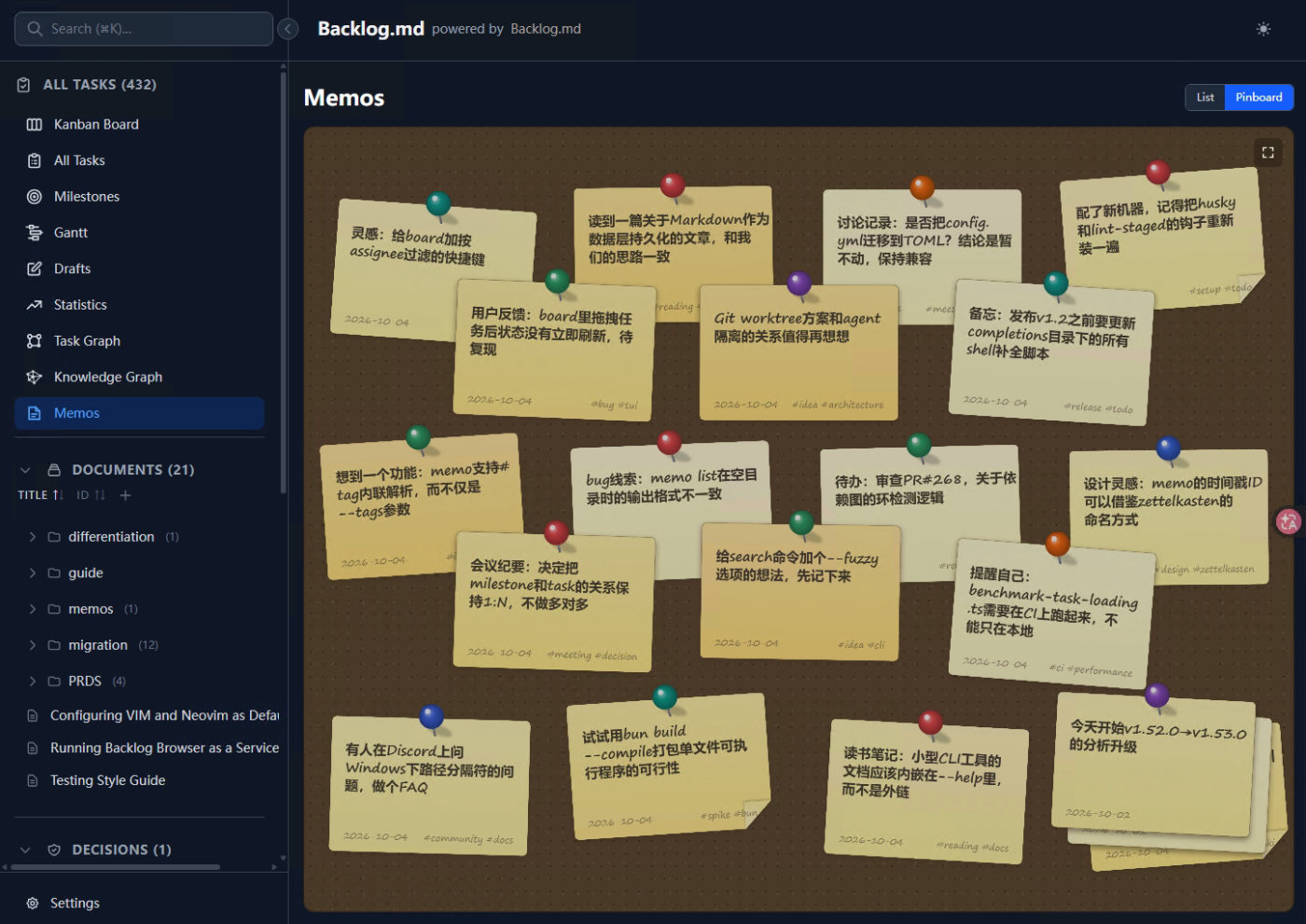
archive/memos and keep the history
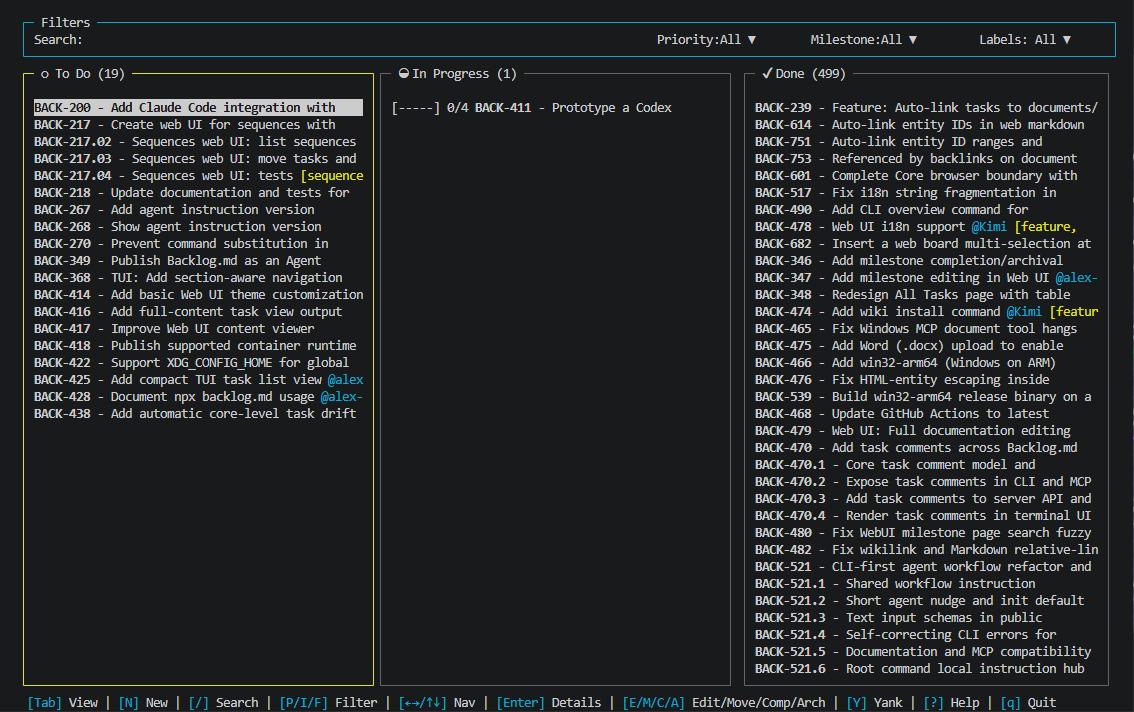
Terminal, web interface, MCP, and CLI all read and write the same Markdown files, so you can switch at any time.
The CLI is the default way in, so any agent that can run a command can start working. If you prefer MCP,
backlog init configures it for you.
From the quick start to graph queries, the docs live in the same repository as the project.
A 52-page structured manual: install and init, task management, board, web interface, AI integration, graph and data queries.
Read the user manualThe project's own LLM wiki: concepts, decisions, patterns, and execution records — a working example of the knowledge capture workflow.
Read on GitHubComplete command reference: tasks, search, board, docs, decisions, milestones, memos and graph commands.
Read on GitHubEvery configuration key: cross-branch checks, auto-commit, ID formatting, editor integration, and default definition of done.
Read on GitHubNo. Everything lives in the local backlog folder inside your project. There is no cloud account, no subscription, and it works offline.
Tasks are Markdown files in your repository. They enter version control with the code, so they can be diffed, reviewed, searched, and archived. It is also built for agents, with CLI instructions and an MCP interface so an agent can work the tasks directly while a human reviews the checkpoints.
Anything that can run a command or speak MCP, including Claude Code, Codex, Gemini CLI, Kiro, and Cursor. CLI instructions are the recommended path: the agent runs backlog instructions overview and gets the current workflow guide.
Inside the project backlog directory, backlog/ or .backlog/ by default, configurable to another project relative path in backlog.config.yml. Tasks themselves are plain Markdown files you can read.
Yes. The terminal commands and the web interface both work on their own, and every change stays in sync with the Markdown files. You can move between manual and AI assisted work at any time.
Run backlog init inside an existing repository. With no Git, use backlog init --no-git to create a file system only project, which turns off cross branch checks, remote operations, and auto commit.
CLI instructions are the default recommendation, since backlog instructions overview returns the workflow guide for the installed version instead of a stale copy. If you prefer MCP, backlog init can configure Claude Code, Codex, Gemini CLI, Kiro, or Cursor for you.
No. It binds to 127.0.0.1 by default, so only the local machine can reach it. Use backlog browser --host 0.0.0.0 only when you need LAN access, and note that the API is unauthenticated.
Yes. Tasks enter version control with the code, so your normal review flow applies. Auto commit is off by default, which suits teams that want control over history. Solo or automated workflows can turn it on for one commit per action.
MIT licensed. Free for personal and commercial use, as long as you keep the attribution.
macOS, Linux, and Windows. Install with npm, bun, Homebrew, or Nix.
Run backlog agents --update-instructions in your project, then pick the files to update (AGENTS.md, CLAUDE.md, GEMINI.md, .github/copilot-instructions.md). It writes the current version's Backlog.md instruction block into each selected file while preserving anything you added outside that managed block. Re-running backlog init updates these files too; if a file has no Backlog.md block yet, the command adds one.
Two bundled Agent Skills: llm-wiki-for-backlog turns your backlog sources into a queryable project knowledge base (wiki); task-migration-architect analyzes upstream changes and drives task-based branch merges in fork projects. Install them with backlog wiki install <agent> and backlog migrate install <agent>, where <agent> is claude, codex, or agents. Use --force to overwrite an existing skill, or --dry-run to preview without writing.
Claude Code / Desktop (.claude/skills/), OpenAI Codex CLI (.codex/skills/), and the generic Agents directory (.agents/skills/) — all three link to one shared copy, falling back to a direct copy on Windows. After a Backlog.md upgrade, re-run the install command with --force to refresh the skill to the new version; no manual edits needed.
MIT licensed, data in your own repository, no account, no cloud dependency. Install it and run backlog init once to see what it does.
The same package installs with bun: bun add -g @kuwork/backlog.md